Android Beta · Coming Soon

Resonance.
Readiness.
Recovery.

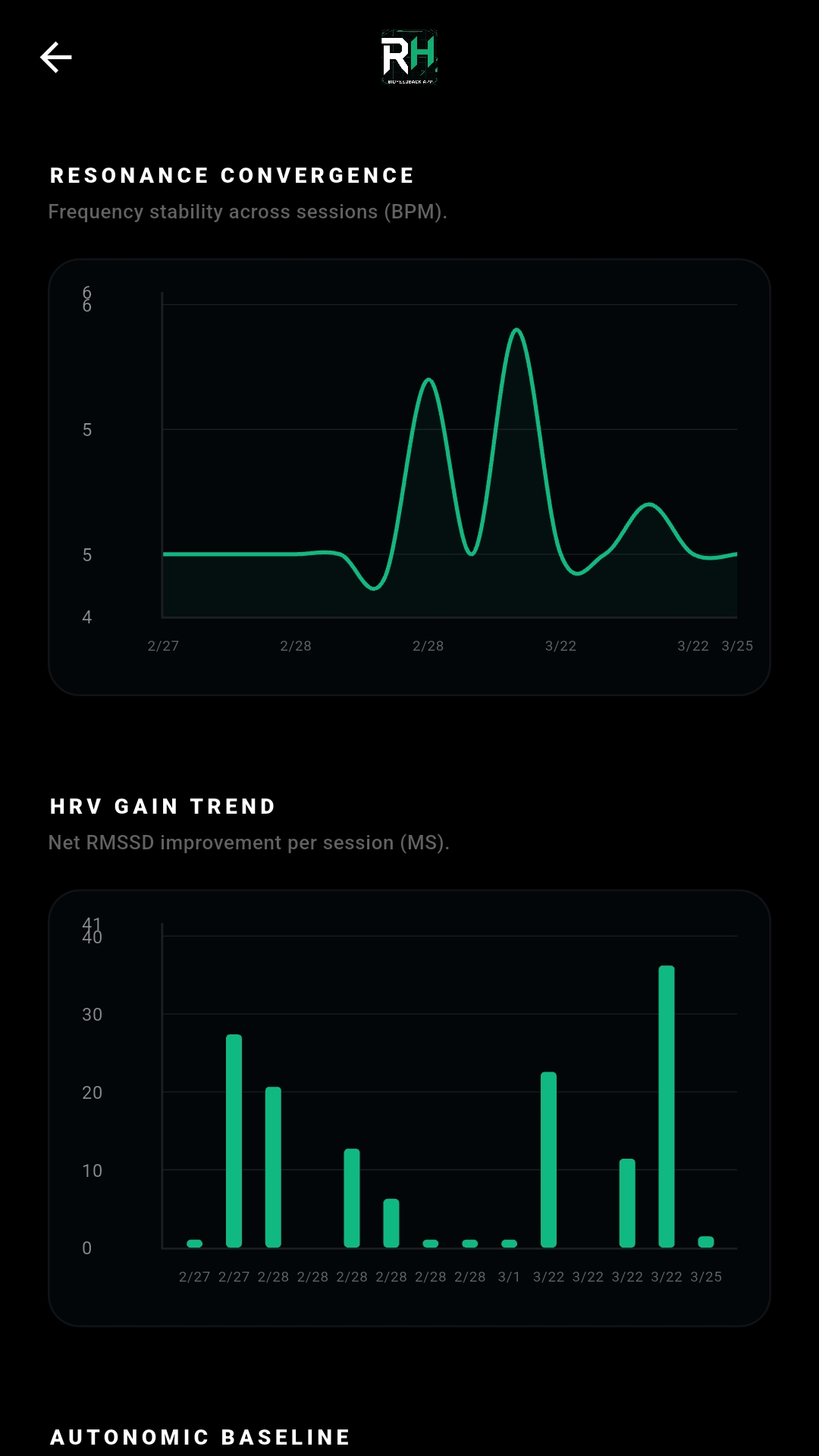
Most apps tell you to breathe at 6 breaths per minute.Your biology is unique.RHz uses high-fidelity HRV analysis to discover your personal Resonance Frequency—the exact Hz where your heart, lungs, and nervous system achieve maximum coherence.

Resonance · Readiness · Recovery · Resilience

External Heart Rate Monitor Required

Tested: Polar H10 (ECG) · Whoop 5.0 (PPG). Other devices may connect but results cannot be guaranteed—e.g., Garmin watches broadcasting HR may pair but produce unreliable HRV data.

iOS Version Coming Soon

Learn the Science
4.5–7BPM
Typical Resonance Range
0.1BPM
Precision of Detection
20min
Sweep to Find Your Frequency
100%
Local Data — No Cloud

Education

What is HRV?

Understanding Heart Rate Variability is the first step to optimizing it.

Your heart does not beat like a metronome. The time between each beat varies—sometimes by tens of milliseconds—and that variation is called Heart Rate Variability (HRV).

A higher HRV signals that your nervous system is flexible, responsive, and in a state of recovery. It is one of the most reliable indicators of cardiovascular fitness, stress resilience, and recovery capacity used by elite athletes and researchers worldwide.

A lower HRV indicates that your body is under load—whether from training, poor sleep, illness, or psychological stress. It means your sympathetic nervous system (the "fight-or-flight" response) is dominant, and your parasympathetic (rest-and-recover) branch is suppressed.

Heart Rate Signal — Conceptual View

Low HRV — Stress StateRMSSD ~15ms

Rigid, equal intervals — metronome-like — sympathetic dominance

High HRV — Resilient StateRMSSD ~70ms

Natural variation in beat timing — parasympathetic tone — recovery mode

RMSSD
Root Mean Square of Successive Differences

The gold-standard millisecond metric for short-term HRV. Reflects vagal tone and parasympathetic activity. Higher values generally indicate better recovery capacity.

SDNN
Standard Deviation of NN Intervals

Captures total variability across a full session. Reflects overall autonomic nervous system activity and is widely used for tracking training load and long-term adaptation.

LF / HF
Spectral Power Ratio

The frequency-domain fingerprint of autonomic balance. RHz uses Astrophysics-Grade spectral analysis to map the precise power distribution across your HRV frequency bands.

The Problem

6 BPM is a Guess.

Most breathing apps default to 6 breaths per minute—a population average. But research consistently shows that individual resonance frequencies span from approximately 4.5 to 7 BPM. Breathing at the wrong rate may feel calming, but it misses your biological peak.

Expansion

0.0%

Protocol Status

Target Frequency

6.0 BPM

Generic App Default — One Size, Every User

Resonance Frequencies Vary by Individual

Published biofeedback research shows the natural resonance range spans roughly 4.5 to 7 breaths per minute across individuals. The 6 BPM default is the statistical midpoint— not your personal optimum.

4.5 BPM6.0 (Generic)7.0 BPM
← Biological Spread Across Population →Generic ↑

Your resonance frequency could sit anywhere in this range. RHz identifies yours to 0.1 BPM precision using the Lomb-Scargle spectral algorithm.

"Research consistently shows that individual resonance frequencies vary significantly. Training at a frequency even 0.2 BPM from your personal resonance produces a measurably weaker HRV response."

Based on resonance frequency biofeedback research — Lehrer & Gevirtz

Mechanism

How Resonance Works.

Resonance breathing is not just slow breathing. It is a precise physiological feedback loop between your lungs, blood pressure, and heart.

01 //

You Breathe

Slow inhalation expands the chest and reduces intrathoracic pressure, directly modulating heart rate through mechanical coupling.

02 //

Baroreceptors Respond

Blood pressure sensors (baroreceptors) in your aortic arch and carotid sinus detect the shift and relay signals to the brainstem via the vagus nerve.

03 //

Vagal Tone Surges

At your specific resonance frequency, each breath maximally stimulates the vagus nerve—amplifying the HRV oscillation rather than simply calming it.

04 //

Phase-Lock Achieved

Heart rate, blood pressure oscillations, and respiration lock into a single coherent cycle—producing a peak HRV amplitude that is physiologically optimal.

The Key Insight

Breathing off-frequency produces a weak, incoherent HRV response.
At your exact resonance frequency, the same effort produces a surge—not a trickle.

Laboratory Standards

Why Precision Matters.

A discrepancy of even 0.1 breaths per minute can be the difference between "relaxed" and "synchronized."

01 // HRV

The Hallmark of Resilience

HRV is not just your heart rate—it is the space between beats, measured in milliseconds. A high RMSSD reflects strong vagal tone, robust recovery capacity, and a nervous system ready to adapt. RHz captures every interval.

02 // VAGUS

Vagus Nerve Stimulation

When you breathe at your specific resonance frequency, you stimulate the vagus nerve with maximum efficiency—triggering a measurable surge in HRV amplitude that generic fixed-rate breathing apps fundamentally cannot achieve.

03 // ANALYTICS

Astrophysics-Grade Analysis

RHz uses the Lomb-Scargle Periodogram—the same algorithm astronomers use to detect periodic signals in stellar data—to map the precise power spectrum of your heart's response and identify your resonance peak.

04 // SENSOR

ECG vs. Optical: Why Signal Source Matters

✓ ECG Chest Strap — Best Accuracy

Tested: Polar H10

Directly measures the electrical depolarization of the heart's ventricles, pinpointing the exact millisecond of the R-wave. True beat-to-beat data with the timing precision required for accurate Lomb-Scargle spectral analysis.

⚠ PPG Optical Sensor — Reduced Accuracy

Tested: Whoop 5.0 · Others may connect but are unverified (e.g., Garmin watches)

Optical sensors estimate pulse via blood flow. During resonance breathing, large blood pressure swings introduce Pulse Arrival Time (PAT) jitter—a 2–3 beat propagation delay that can reduce spectral analysis precision. Results may vary.

Protocol

How It Works.

Three steps from pairing to precision.

01
Hardware Handshake

Pair Your Sensor

Connect a compatible Bluetooth heart rate monitor via BLE or ANT+. RHz displays live signal quality and raw beat-to-beat intervals before your first session begins.

Tested: Polar H10 · Whoop 5.0
02
Precision Discovery Protocol

Run the Sweep

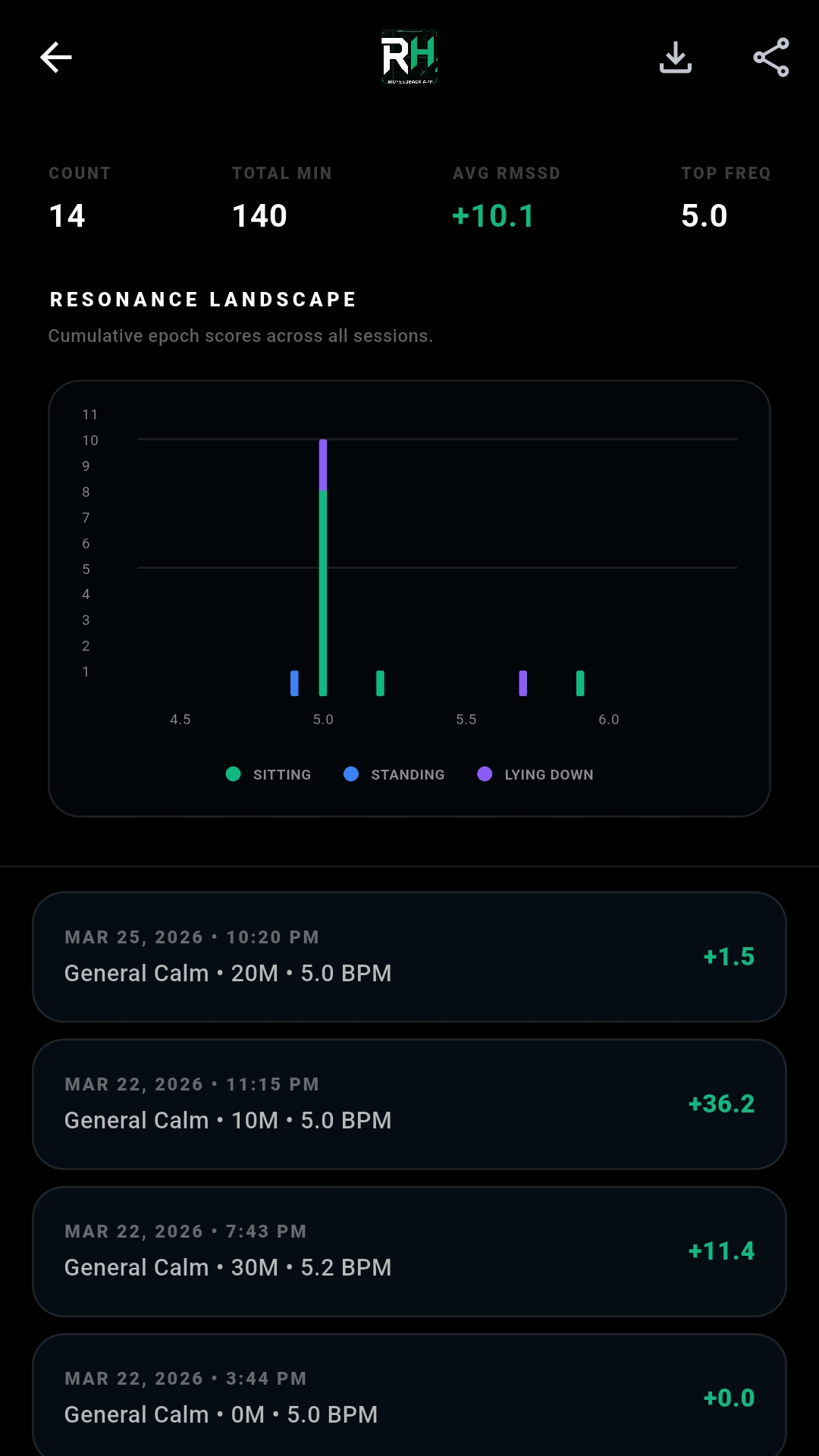
A fully guided 20-minute session systematically tests your body across a range of breathing frequencies. The Astrophysics-Grade Lomb-Scargle algorithm maps your HRV power spectrum and identifies your resonance peak to 0.1 BPM.

20 Min · Fully Guided
03
Dynamic Resonance Engine

Train at Your Frequency

Your personal frequency is locked in. Every future session paces you at your exact target. The Dynamic Resonance Engine monitors HRV in real time and adjusts pacing if your resonance drifts—keeping you optimized throughout.

Adaptive · Real-Time

Specifications

Built Like a
Tactile Instrument.

  • PRC // Precision Discovery Protocol

    A guided 20-minute "Sweep" stress-tests your body across different frequencies to find your mathematical resonance peak—not a generic starting point.

  • DRE // Dynamic Resonance Engine

    Continuously monitors your HRV in real-time. If resonance drops, it dynamically adjusts your pacing frequency to keep you optimized throughout the session.

  • ADP // Smart Start (Adaptive)

    Jump straight into an indefinite session. The app analyzes your historical data to start at your most effective frequency and auto-adjusts on the fly.

  • DTP // Damped Trend Gauge

    A biofeedback coach that filters out moment-to-moment noise and shows you exactly how well you are trending toward resonance—in real time.

  • EXP // Data Portability

    You own your data. Export raw beat-to-beat RR intervals and calculated HRV metrics to CSV or JSON at any time for external analysis or research.

REAL-TIME SIGNAL ACQUISITION

Compatible with standard Bluetooth Heart Rate Monitors. Tested with the Polar H10 (ECG) and Whoop 5.0 (PPG). Other devices may connect but are unverified.

Sampling Rate: 1000Hz
Processing: Background Isolate
UI Performance: 60 FPS
Storage: Hardened Local

Privacy Architecture

No Cloud.
No Subscription.
No Compromise.

Your biometric data is among the most sensitive information that exists about you. RHz uses a hardened local persistence layer. Your physiological data is processed and stored entirely on-device and is never transmitted to any external server—ours or anyone else's.

  • Beat-to-beat RR intervals stay on your device only
  • No account creation required to use the app
  • No subscription or recurring fees — one-time access
  • Manually export session history via CSV or JSON at any time
  • Delete the app, delete all your data — total control
BT
LE
ANT
+
LOCAL
ONLY
$ data_destination
→ /device/local/only
$ external_requests
→ 0
$ cloud_sync
→ disabled
$ subscription_required
→ false

Get Started

Find Your
Frequency.

Android Beta Coming Soon. Connect a compatible Bluetooth ECG heart rate monitor and complete your first Sweep in 20 minutes.

iOS Version Coming Soon

Hardware Required. An external Bluetooth Heart Rate Monitor is required. Tested devices: Polar H10 (ECG) and Whoop 5.0 (PPG). Other devices (e.g., Garmin watches broadcasting HR) may connect but HRV accuracy is not guaranteed.